
Seal OS
- 17 Devlogs
- 117 Total hours
Welcome to my very silly SealOS! It's all about seals :D This OS is meant to be fun and to be entertaining, to throw things around, explode them, and rot your brain with seals >:]
Welcome to my very silly SealOS! It's all about seals :D This OS is meant to be fun and to be entertaining, to throw things around, explode them, and rot your brain with seals >:]

Helloooooooo, I again fell into the rabbit hole of OPTIMIZATION 
As I am on my mission to make everything really approachable for coders that may want to inspect the code and fork it, and make their own silly changes, it is easier than ever.
So I made some new sliders that affect multiple things, which I used to replace the audio categories! (sfx and ui for example), audios that fit into the same category and have one slider that affects all of them.
Thanks to the new slider system I have, it was very easy to implement a new feature, sizing and rotation for objects! Though not all objects are rotatable, but at least they all are scalable :]! 
So now you can have annoying cockroach seals that zoom all over the screen, or have big sealies that move as slow as a turtle. 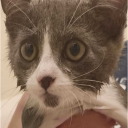
OH, I almost forgot. You can also use the arrow keys to rotate and scale the stuff without having to grab the slider and move it around, though I could not find a way to make it so you can press more than 2 keys at the same time, I will be putting some time to research that, but for now, nope :[
Alrighty, that is it for this cool devlog  , see ya

Hello thereeee!!
i am back with a pretty boring devlog, oh yea 
I have been fixing bugs, which that I am aware, everything should be fixed  (hopefully)
These include:
I have also been busy with structuring code, and I am currently working on optimizing the Audio Categories to translate them into the new settings system! (sfx and ui sliders)
I also spent some of the stardust on buying a domain, so I can have my cool OS outside of github >:] (now with cloudflare too)
Some really cool things that I have been working on for the Paint Windows is so they get saved, so you can restart the page and have your drawn things there again!!
I have a rotation system and scaling system for object painting, but with the structuring of the setting system so that I can create sliders for other things too, it is still a WIP, but it should be out soon!
Alright, yippe and bye 

As a prize for your great work, look out for a bonus prize in the mail :)
Well, I am back at it, as my goal is to get a 3D printer!
As of currently, I just fixed a couple of bugs, including:
I already have some ideas in mind of what I want to do next!
If you wanna hear my quick vent, go ahead:
For WebOS 1 I really placed a lot of time into it so I could have my code structure really well done so it would be really easy to create new apps, and I did spend a lot of time in Seal Clicker lol, but I thought the ratings would count both Web 1 and 2, but sadly not, so I will have to work another 50 hours on this  , not annoyed, but I did wanna work on other projects


Hello there, and welcome to my last devlog, it is been a long journey, but I have done it, I have learned the ways of HTML, CSS and JS. I hate them all, but at least I know them now lol.
I made a lot of QOL, a LOT of bug fixing and added some cool little features, you can take a look:


I made mostly visual improvements and added some silly stuff in general, because I wanna have fun, you know?
These include:
I want to make something to jumpscare y´all, but I will be thinking of ideas to do so hehe, be prepared >:] 
I had to make the Desktop App Icons wrap around, so they did not sink into the water, because I do not want that.
I am so close to finishing this really cool OS which I am really proud of, I love it so much, and did it all without any frameworks which is really cool.
These changes are not published yet, they are on a testing branch as I still need to squash some bugs.
Hello there, I did a lot of expanding on the Seal Moving app, I grabbed it and stripped all of its bones and removed their personality so they were easily modifiable and expandable! YIPPEE.
What I am trying to say is, I plan on using the same behaviour of spawning seals for another app to decorate your OS´s background! So i had to spend a lot of time making it easily expandable, and it was worth it!!
I also made a variation of the seal´s sprite so you can choose which one to spawn, there is also brushes now for spawning and removing seals, aswell as an icon for nuking them all!!
The other app will be for spawning sand castles, sea stars and other stuff like that ONLY in the sand, below everything that is UI.
With these two apps, I would just need to add one more app, and I should be done! Probably another game to have some more fun stuff, I know that will take a while, but eh, doesn´t really matter.
These days I have been mostly optimizing the code, so again, it is easier to create new windows and stuff, and I also fixed some annoying window header css issues.
I am also thinking to change some of the audio the apps have to sound a bit less THUMPY.
I currently have two things I am working on, just a visual update in general for the OS so it feels more silly, which should be in video 2, and a new app >:]
This new app, I am still unsure in which direction to take it, maybe both?? But here is the idea:
You have seals that move in your screen, and you can click to explode them  (sorry sealies
  )
)
But I do need to decide wether with this to do this or that:
Or I could do a combo of the two, but again, unsure.
Would love to know what everyone else thinks 

Feedback
Hey indiesealdev,
Awesome and fluid website! Clicker was fun, Wii sound effects were nice, and the vibe was cool. I'd suggest adding screen time for SealTok as its addicting :) I'd love to see what you make in the future!
Shipwright walkthrough

Final devlog, this was a great journey, and I cannot wait to get started on WebOS 2, this is going to take an eternity with how long this first part took me, but I already have a solid base (I might even do some more structure changes in the code to make it EVEN EASIER to make windows), and I learnt a lot about HTML, CSS and JS!
Well, in these last two days I did the following:
hope you enjoy it!!! I really loved building it  🦭
🦭
(hope there is someone as autistic as me who loves seals lol)
I have finished my Seal-Tok, I wanted to keep it simple, I do not really want to add likes and comments and stuff as I do not want to overcomplicate myself as much as I did with Seal Clicker lol, but I may add a ¨Share¨ feature which would just take you to the source of the authors video. I am also planning on doing some videos myself for seal-tok, I am already working on some, but it is going to take a while D:
I have finally finished my Seal Clicker in terms of systems and having all the upgrades, now I only have to draw the last couple of upgrades (7 more).
In terms of what I have to do before publishing the mission is to fix a couple of audio bugs, for some reason windows if left inactive for a while (changing to other tabs of browser), probably because of the deltaTime I have in there? I need to take a look. And soon SealOS will be available for all!! hehe
I’m no artist but I’ve been working on the art for the game, maybe it’s not the prettiest but ehh, it’s pretty good for me.
I’ve been working on implementing audio, on adding some juice to the interactions, which I’m still planning to do a lot more of those, but time will tell.
I’ve added the basic first upgrades for all the Seals which is really cool yeaa..
I’m super happy with how I got to optimize the upgrade and seal system as now you only need 3 lines of code to inject HOPE into the html give it their unique id and change icons and text around with ease, I love using classes, seriously can’t even begin to say how happy I am with JavaScript literally being C# but a bit worse ( sorry JS enjoyers :[ ).
So now, it should be very easy to add new stuff which I’m thrilled to do, not thrilled about the art part though haha.
Probably less than 10 more hours and I should be done with this damned app, and I have already noted down some ideas for which apps I could do next, but I don’t want to spoil, so you’ll have to wait, or if you find the Source Code, maybe you can go search for it, like a treasure hunt, or easter egg?
if you actually find the easter egg, what do you think of my suggestion? it’s amazing right? right? idk
(also I just got annoyed with my keyboard putting this: ` instead of ’, so I just copied it and pasted it, would be fun to have a onekey for that haha)
ok bye, thanks for reading
Hellooo!!
Well, I´ve been working a lot on the Seal Clicker app, it´s taking a whole lot more than I had initially thought, but oh well.
All upgrades are working correctly, made a lot of UI improvements, more like the layout specifically, I still need to work on how it overall looks.
I´ve been squashing down bugs, and I´ve implemented tooltips! For now only applicable on the upgrades, but I want to see if I can make it modular.
My next task is learning how to spawn HTML into a page, because I want there to be a visual way to know how many Seals you´ve bought that help you obtain food (that´s the middle row for ya, I still need to draw some backgrounds lol).
Also, I´m actually enjoying a lot learning this as first of all, now I can make websites hehe, but also I got a new language in my ¨can-do¨ list I guess, JavaScript is literally C# but with Dynamic Typing so it´s been quite easy to learn. (i hate dynamic typing though).
alright, adios, see ya on the next devlog :]
I´m about to hit the 10 hour time limit per devlog, so I´m posting this :]
As of currently, I´m just trying to make the project more organized, I´ve been making folders to store CSS´s as I´ve been splitting the main one, similarly of how I did with my Java Script files.
And I´ve got the basics down of the Seal Clicker, I´m going to be taking a lot of inspiration from Cookie Clicker, so I´m seeing how to land those vibes.
I´ve also made it so windows can´t leave your viewport and can´t go on top of the Navbar.
I would share a video, but the project still looks exactly the same and feels about the same, the Seal Clicker window has the basic click and upgrade functionality, but it´s just the elements rn and it looks kinda ugly.
But I´ll keep y´all updated!! :]

Thanks to Jenin over on Summer Camp, I´ve been able to grasp the concepts of HTML and CSS better, and I got over some hard bugs I couldn´t squash.
Well, I´ve done a lot on this update, I followed a tutorial on how to make a sea, on top of that I added a fish that swims through the sea, and soon will be draggable and will be feedable to a seal!
I´ve thought of what I will do app-wise, but I won´t spoil ya!
I added some relaxing beach/sea sounds, I changed the background to actually match the water i placed, so not it´s sand!
I added a little bar in the taskbar app icons to know wether it is the app that is selected, or if it´s minimized/not selected, I´ll probably need to have a different color for those two states, but for now, I think it´s pretty good, on the future I want to make apps pinnable on the taskbar and they will show up without the bar below!
Visually I think it´s looking great, now I only gotta start developing the actuall apps lol. Wish me luck :]
I have improved my audio system for dragging objects, so it only plays when you´re moving the window and not just by touching it, and finished adding the lerp implementation to the windows, I still gotta fix some bugs though, like the buttons from the windows making sound when hovered WHEN moving the windows too fast, I´m thinking I´ll disable their interactions when the window is grabbed.
I also made a very important change, to avoid creating duplicate script and to make my lerp actually work, I made the whole drag script into a class!
This way, each window manages itself and can store it’s last position for the lerp purpose, and I’m very proud of how it ended up looking and how it sounds, would’ve loved to be able to fix the bug where looping has a small pause between each loop, but maybe I’ll make the audio longer so it’s not AS noticeable, or it doesn’t happen as often!
With these changes, making new windows should be easy peasy :D
Working on the taskbar, and added some audio to keep it from being so silent, I was getting tired from it!
To-do:
-Work on Wii-type opening app menu.
-Finish adding sounds everywhere
-Add more desktop apps
-Finish taskbar behaviour
Finally finished the basic part of the windows, still needs to be polished, but hey they behaviour’s there!


I finally finished the drag and drop feature, took me a while as I was trying to have different cursors while outside, while hovering and while clicking, which took longer than I thought, but I did it!
Next task: Make an app inside of the OS
